Breaking News



Popular News






Enter your email address below and subscribe to our newsletter
Cloud insights for your day
 Bycld2day
Microsoft Entra ID powers sign-ins across Microsoft 365, Azure, and SaaS apps. This Microsoft Entra ID Free vs Premium guide compares Free, P1, and P2 to choose security and features.
Microsoft Entra ID Free vs Premium sits at the center of modern identity and access management. It supports Microsoft cloud workloads and many third-party SaaS apps. If your organization uses Azure, Microsoft 365, Intune, Dynamics 365, or Power Platform, you already run in the Entra ecosystem. Microsoft creates a tenant for you. Microsoft also includes the Free edition with many cloud subscriptions.
This Microsoft Entra ID Free vs Premium guide focuses on what you get in Free, what changes in P1 and P2, and when upgrades make business sense.
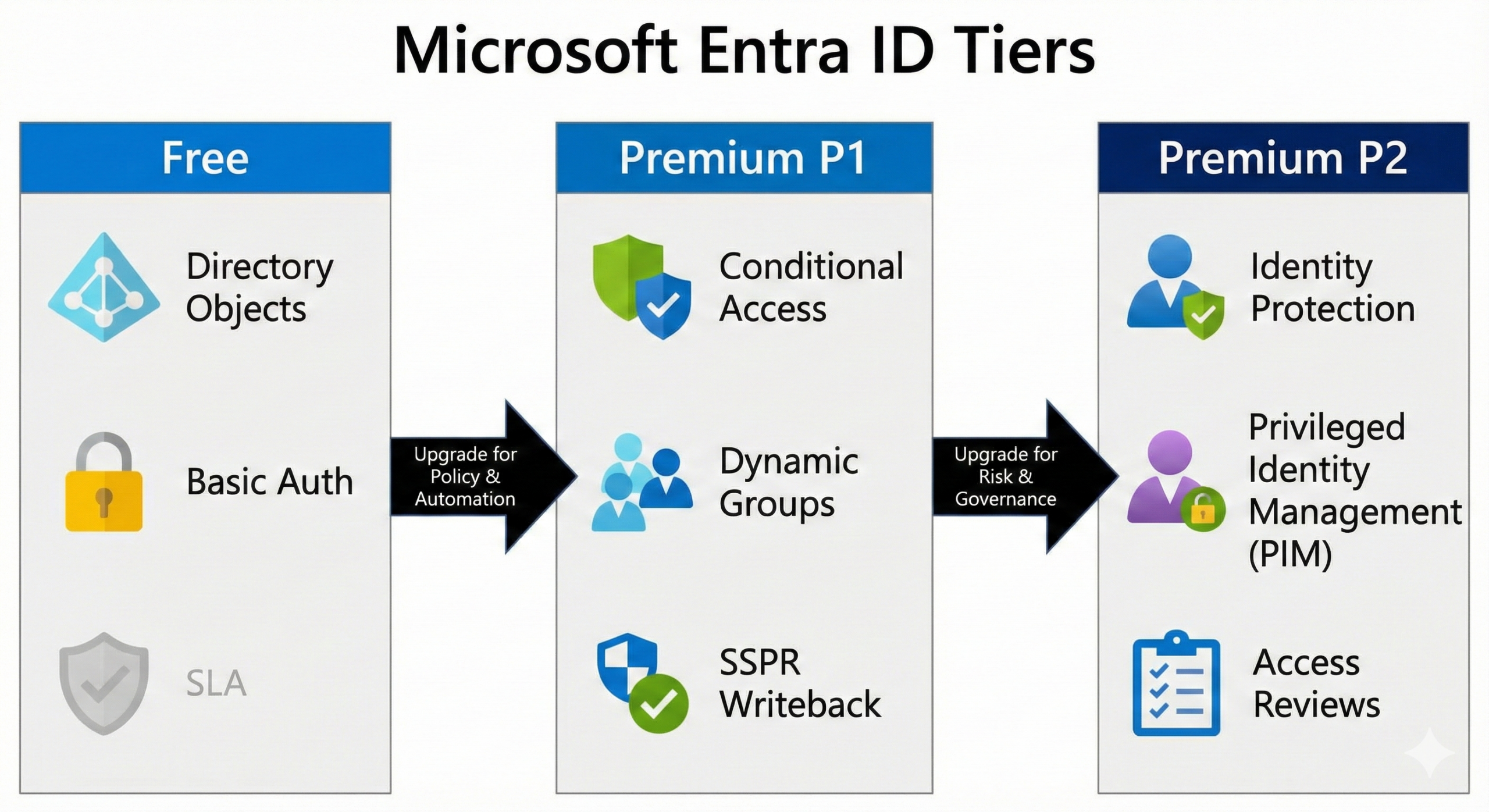
The real question is not whether you have Entra ID. The real question is whether the Free tier fits production security and operations. If it does not, you move to Premium P1 or P2. In this guide, I explain pricing and core differences. I also cover the features that drive upgrades. These features include Conditional Access, Identity Protection, and Privileged Identity Management. I close with a licensing approach that avoids over-licensing.
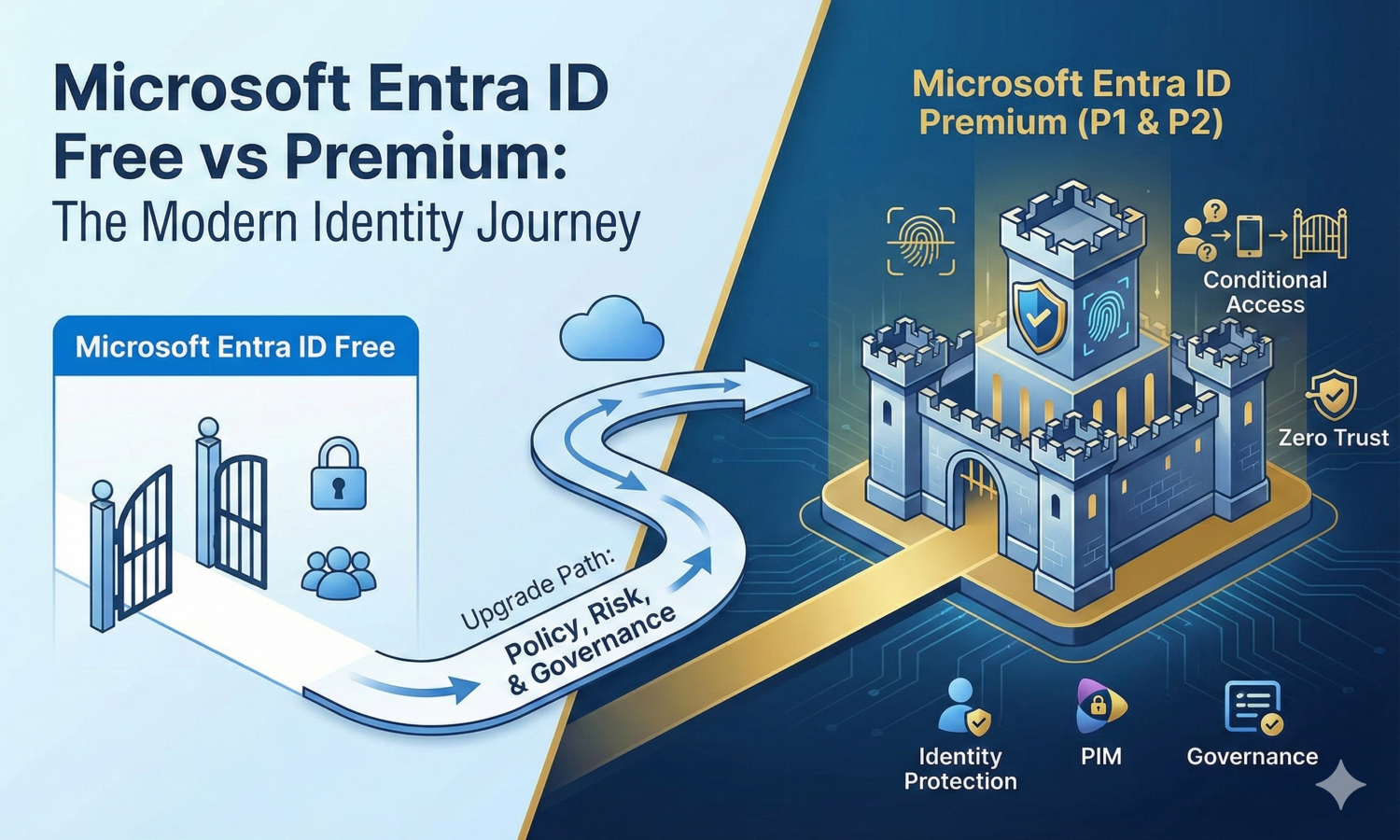
In the Microsoft Entra ID Free vs Premium comparison, pricing is only the starting point; the real value comes from policy, risk signals, and governance.
Microsoft Entra ID comes in three common tiers: Free, P1, and P2.
Entra ID Free is included with many Microsoft cloud subscriptions, such as Azure and Microsoft 365. Premium licensing is per user. Microsoft lists Entra ID P1 at $6 per user/month and Entra ID P2 at $9 per user/month. P1 and P2 are available as standalone licenses, and Microsoft also bundles them in suites. For example, P1 is included with Microsoft 365 E3 and Microsoft 365 Business Premium, while P2 is included with Microsoft 365 E5.
Beyond P1 and P2, Microsoft offers add-ons and bundles for advanced identity outcomes. Two common options are Entra ID Governance and the Microsoft Entra Suite. Microsoft lists Entra ID Governance at $7 per user/month and Microsoft Entra Suite at $12 per user/month. Microsoft also notes that Entra Suite requires P1 (or a package that includes P1), and special pricing may apply for P2 and Microsoft 365 E5 customers.
The model is straightforward: Free provides the baseline identity service, P1 adds policy and access control capabilities, and P2 adds advanced risk and privileged access features. Governance and the Entra Suite extend the platform further with lifecycle automation at scale.
Entra ID Free is not “toy” identity. It gives you the tenant directory, core authentication, and the building blocks you need to start: users, groups, app registrations, and the ability to integrate apps for sign-in. Microsoft also documents that audit logs and sign-in logs are available in the Free edition.
You can also run hybrid identity without Premium just to synchronize identities. Many organizations sync on-prem identities to Entra ID first. They keep Active Directory as the source directory. They then use Entra ID for cloud authentication.
Free becomes limiting in governance, policy, and security automation. The limit is not “how many users you can create.” The limit is what you can enforce. You also need to understand service limits. Microsoft documents directory limits that apply across tiers.
The biggest production caveat is service guarantees. Premium tiers have an SLA target, but there is no SLA for the Free tier of Microsoft Entra ID. If identity is a critical dependency for your business apps, that line alone is often enough to justify moving to premium licensing for production tenants.
If Free is “identity exists,” P1 is “identity is governed.”
Conditional Access is Microsoft’s Zero Trust policy engine for controlling authentication and session access based on conditions such as user risk, location, device state, app type, and more. Microsoft’s official documentation states that Conditional Access requires Entra ID P1 licenses (with Microsoft 365 Business Premium also eligible).
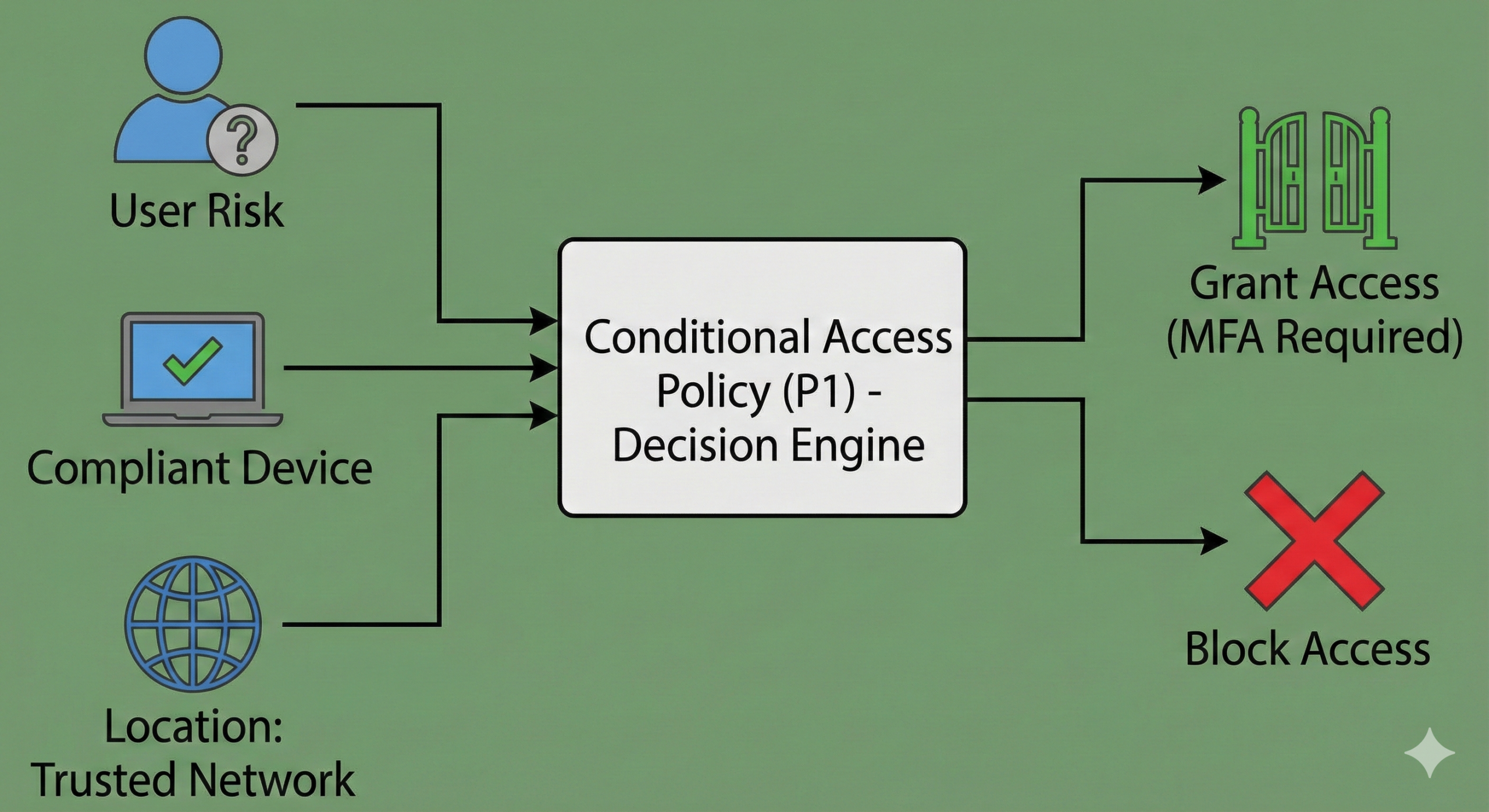
In practical terms, Conditional Access is where you implement real-world rules like:
Without Conditional Access, you’re left with much coarser controls. That’s fine for labs, tiny orgs, or low-risk environments—but it’s rarely enough for modern security expectations.
P1 adds advanced group capabilities (dynamic membership rules, naming policies, group expiration and classification), which is important when you want automation rather than manual group admin. Microsoft lists “advanced group management” as a Premium capability on its pricing comparison.
That sounds like an admin convenience, but it quickly turns into an operational requirement: if your joiner/mover/leaver process relies on attributes (department, job title, location), dynamic groups become the foundation for access at scale.
Many organizations run hybrid identity, where the authoritative password is still in on-prem AD. In that world, a cloud password reset is only useful if it can write back to on-premises.
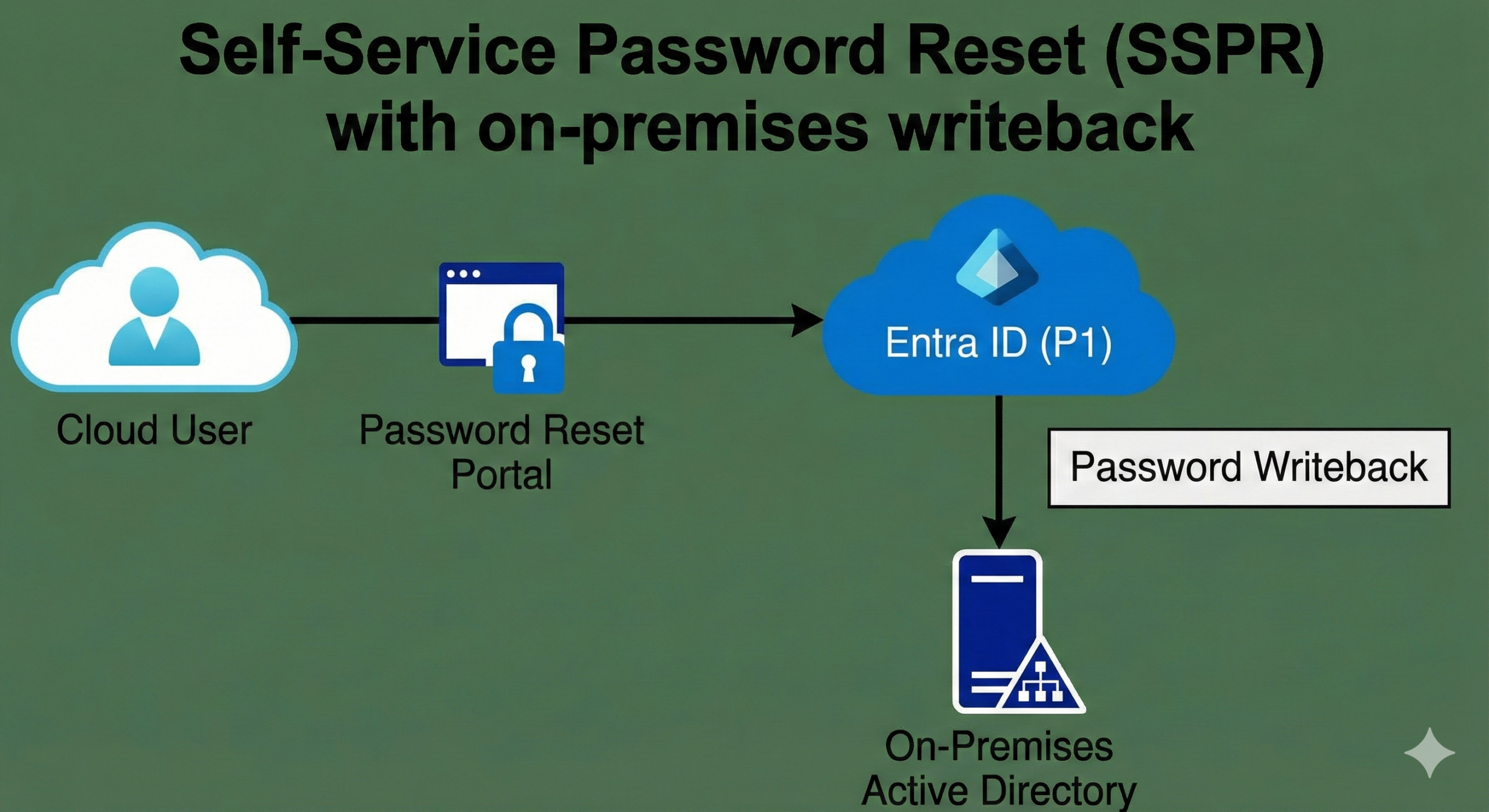
Microsoft’s licensing guidance for SSPR states that hybrid password change/reset with on-premises writeback requires Entra ID P1 or P2 (or Microsoft 365 Business Premium).
This is a great example of the “P1 = operational maturity” theme: SSPR writeback reduces helpdesk load, improves user experience, and closes the gap between cloud and on-prem.
Microsoft’s Entra licensing guidance also shows a clear boundary: while audit and sign-in logs are available in Free, features like provisioning logs, health, usage and insights, and Graph activity logs require P1/P2.
If you’ve ever had to troubleshoot “why can’t this user access the app” or “why didn’t provisioning run,” those premium monitoring features stop being nice-to-have very quickly.
P2 includes everything in P1, then layers on advanced detection and privileged governance.
Identity Protection is a P2 capability. Microsoft’s Identity Protection overview explicitly notes that using the feature requires Entra ID P2 licenses.
Microsoft’s Entra licensing documentation further distinguishes what you can do across tiers: risk policies, full “risky users” and “risky sign-ins” reporting, risk detections, and user-at-risk alerts are listed as P2-only (or in Entra Suite).
This is where “AI-like” behavior patterns enter the picture: detecting unusual sign-in behavior, flagging accounts that look compromised, and using that risk as an input to Conditional Access decisions.
PIM is another major P2 driver. Microsoft’s licensing guidance states that to use Microsoft Entra Privileged Identity Management, you need Entra ID P2 licenses or Entra ID Governance licenses, and it clarifies which user categories must be licensed (eligible role assignees, approvers, reviewers, etc.).
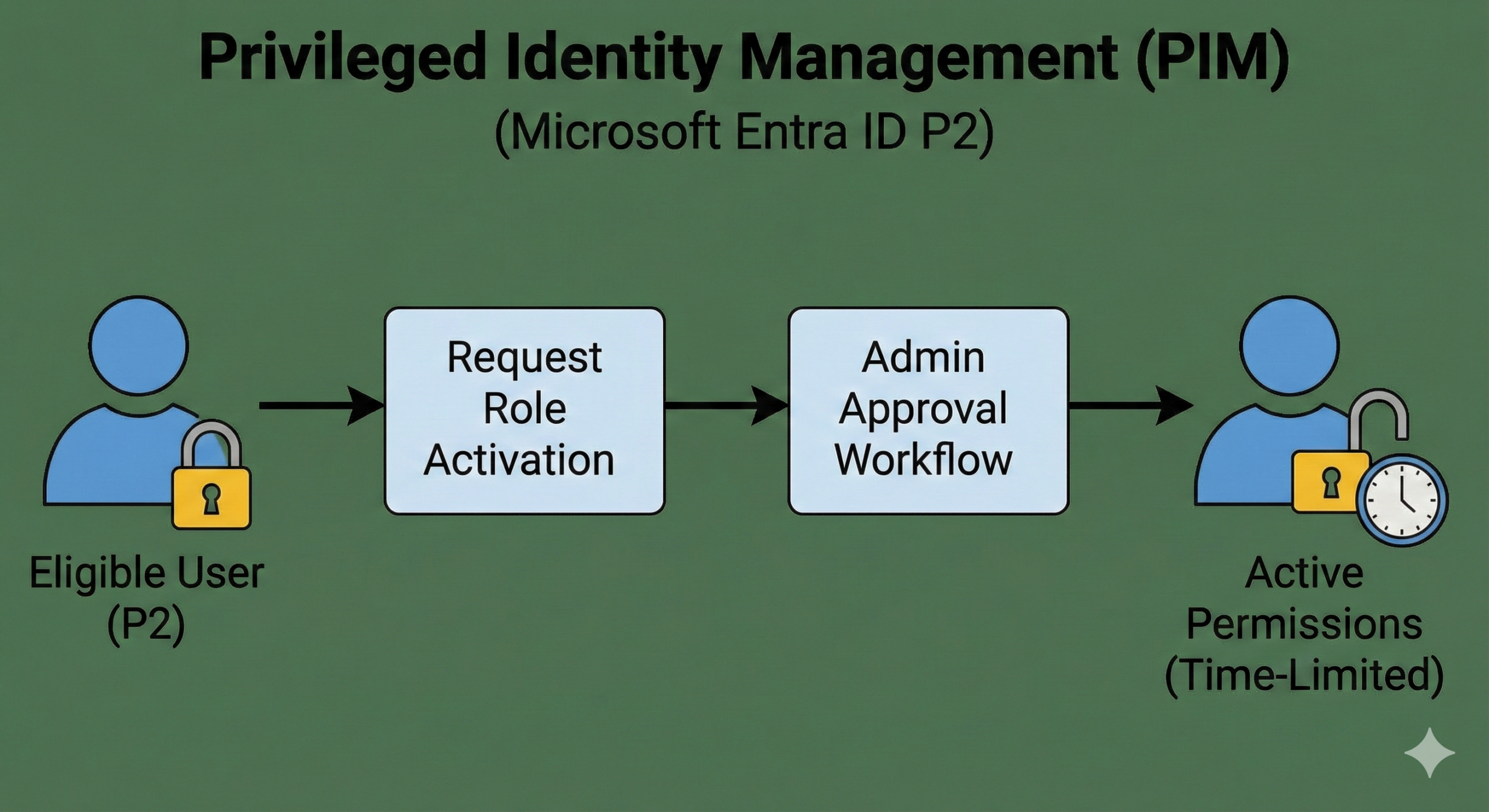
If you’re serious about least privilege, just-in-time admin access, approval workflows, and auditable elevation, PIM is hard to replace with manual processes. This is one of the most “enterprise” features in Entra because it directly reduces standing privilege.
P2 is also the tier where governance patterns become practical at scale: access reviews, entitlement governance, and lifecycle controls are tied into premium features and/or the separate Governance product. Microsoft positions Entra ID Governance as an add-on requiring a tenant that already has a qualifying premium plan (service plans like AAD_PREMIUM or AAD_PREMIUM_P2).
In plain language: if your audit posture demands periodic re-certification (“prove these people still need access”), and you want it automated rather than spreadsheet-driven, you’re stepping into P2/Governance territory.
A line you’ll hear often is: “We have 1,000 users, but only 100 need premium—so we’ll license just those 100.” Sometimes that works, but often it breaks down due to how policies are applied.
Conditional Access is a perfect example. It’s licensed per user, and if you create Conditional Access policies that apply broadly, you need to ensure the affected users are appropriately licensed. Microsoft Q&A responses commonly reinforce that when premium licenses are added to a tenant, premium features become available—but licensing obligations still follow the users benefiting from those features.
The safe operational pattern is this: license the users who are in-scope for premium-controlled policies (for example, anyone included in Conditional Access assignments), plus administrative and security roles that rely on premium features (PIM approvers, access reviewers, etc.). Then design policies using Entra’s assignment scoping so you can keep licensing aligned with actual usage.
If you want a simple way to decide, think in outcomes:
If you primarily need directory + basic SSO and you’re operating in a low-risk, non-regulated environment, Entra ID Free is a valid starting point—especially for labs, small internal apps, or early cloud adoption. Just be honest about what you’re missing: the biggest gap is policy automation (Conditional Access) and the absence of a Free-tier SLA.
If your priority is enforcing modern access policies—MFA rules based on context, device compliance gates, session controls, scalable group automation—P1 is typically the best value. Microsoft positions Conditional Access as a P1 feature, and that alone often drives the decision.
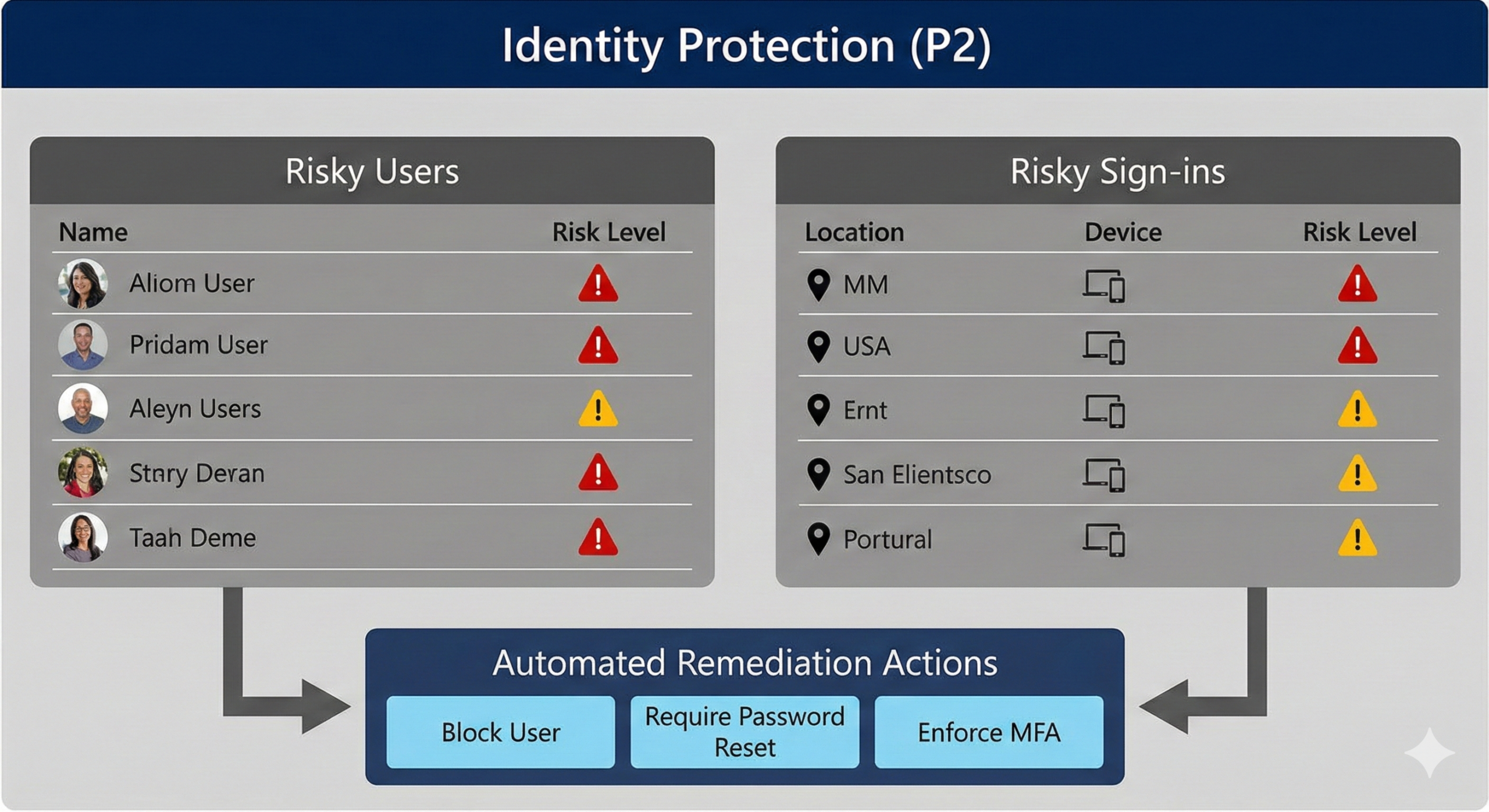
If you’re actively defending against account takeover, need risk-based detection and investigation, or you want to enforce least privilege with just-in-time admin access, P2 becomes the natural destination. Identity Protection and PIM are the “signature” reasons most organizations step up.
If you’re moving beyond access control into lifecycle governance—automated access packages, periodic reviews, and richer identity governance dashboards—then you evaluate Entra ID Governance (or Entra Suite if you also want the broader network-access and verification pieces).
Microsoft Entra ID Free vs Premium is a strong entry point because Entra ID Free is already included when you adopt Azure or Microsoft 365. But identity is not just a directory—it’s the enforcement layer for every workload. The moment you need consistent access policies, measurable reliability commitments, or automated security decisions, premium licensing stops being an “add-on” and becomes part of your core platform design.
If you want the most practical rule of thumb: choose Free for experimentation, P1 for controlling access at scale, and P2 when you must reduce identity risk and control privilege with evidence.