Breaking News



Popular News






Enter your email address below and subscribe to our newsletter
Cloud insights for your day
 Bycld2day
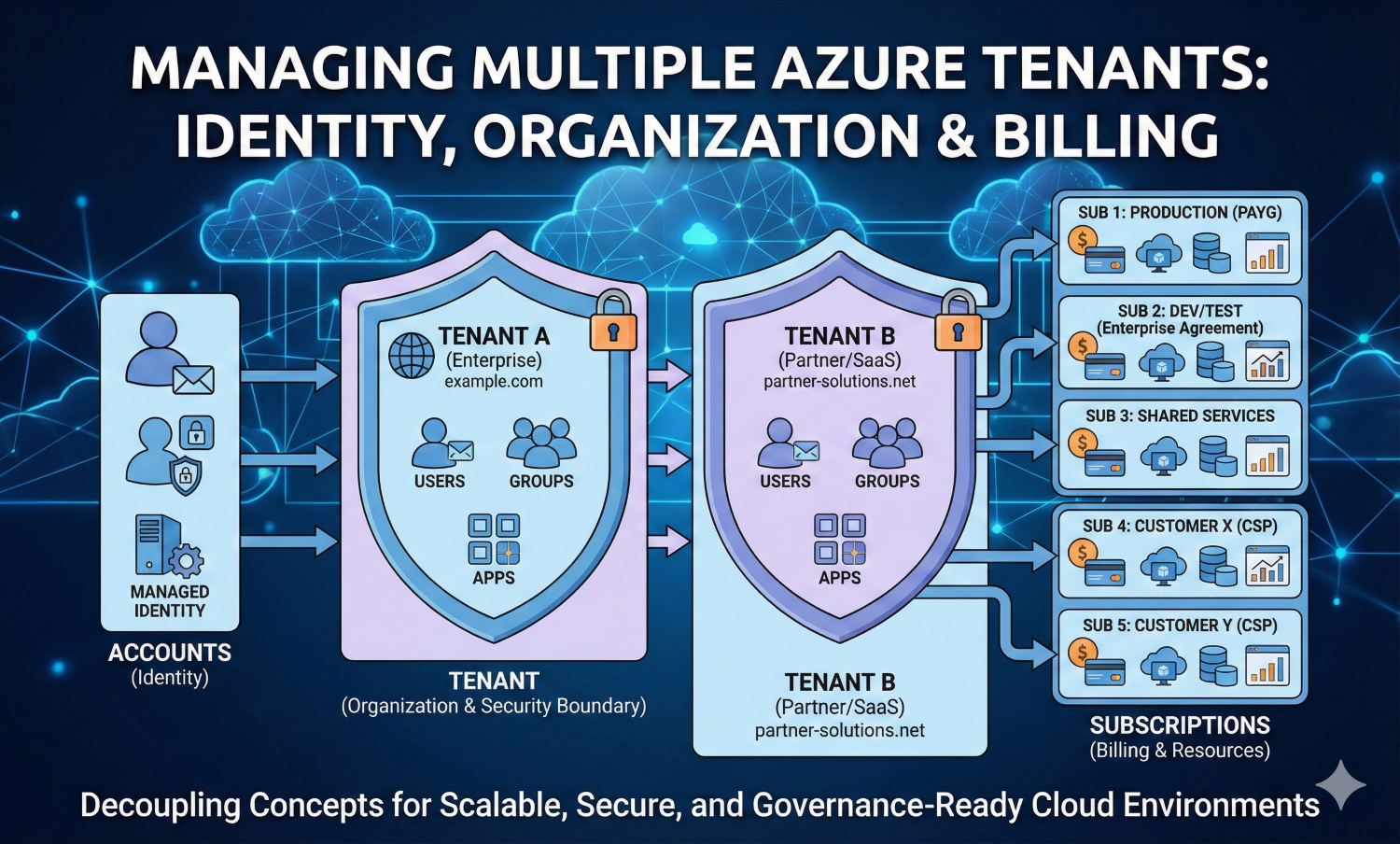
Managing multiple Azure tenants requires understanding how accounts, tenants, and subscriptions interact to enforce identity, security boundaries, and billing models across scalable enterprise and multi-organization cloud environments.
Managing multiple Azure tenants is a common challenge when Azure environments scale across enterprises, partners, and SaaS platforms. Whether you are working for an enterprise with multiple business units, a system integrator supporting different customers, or a SaaS provider operating isolated environments, you will encounter the concepts of accounts, tenants, and subscriptions very early. These concepts are often introduced together, yet they solve very different problems. Misunderstanding their boundaries can lead to security risks, billing confusion, and operational complexity.
This article provides a clear, architecture-oriented explanation of how Azure models identity, organization, and billing, and why these models are intentionally separated. The goal is not to memorize definitions, but to understand how these concepts behave in real-world scenarios where more than one tenant is involved.
In Azure, everything starts with identity. An account represents who or what is attempting to access the platform. Most commonly, this is a human user signing in with an email address and password. During authentication, additional security controls such as Multi-Factor Authentication may be enforced, but fundamentally the account is the mechanism Azure uses to answer a single question: who are you?
It is important to emphasize that an account does not represent an organization, and it does not define ownership of resources or billing. An account is simply an identity that can be granted permissions. Those permissions are evaluated later, once Azure knows which tenant and which subscription are involved.
Applications also require identities, and Azure treats them as first-class citizens. Instead of embedding usernames and passwords in configuration files or scripts, Azure provides managed identities. A managed identity is an identity created specifically for a workload and fully managed by Azure Active Directory. It authenticates using the platform itself and operates only within the permissions explicitly assigned to it.
From an operational and security perspective, managed identities are essential. Using real user credentials for applications introduces fragility. Password changes, account lockouts, or employee departures can instantly break production systems. Managed identities remove this risk while also improving auditability and compliance. In mature Azure environments, applications never authenticate as people.
Microsoft’s official guidance on this topic is clear and strongly recommends managed identities for application authentication:
https://learn.microsoft.com/azure/active-directory/managed-identities-azure-resources/overview
A tenant represents the organization itself. It is the identity and security boundary in Azure and maps directly to an Azure Active Directory instance. When an organization adopts Azure, creating a tenant is effectively creating a dedicated identity system for that organization.
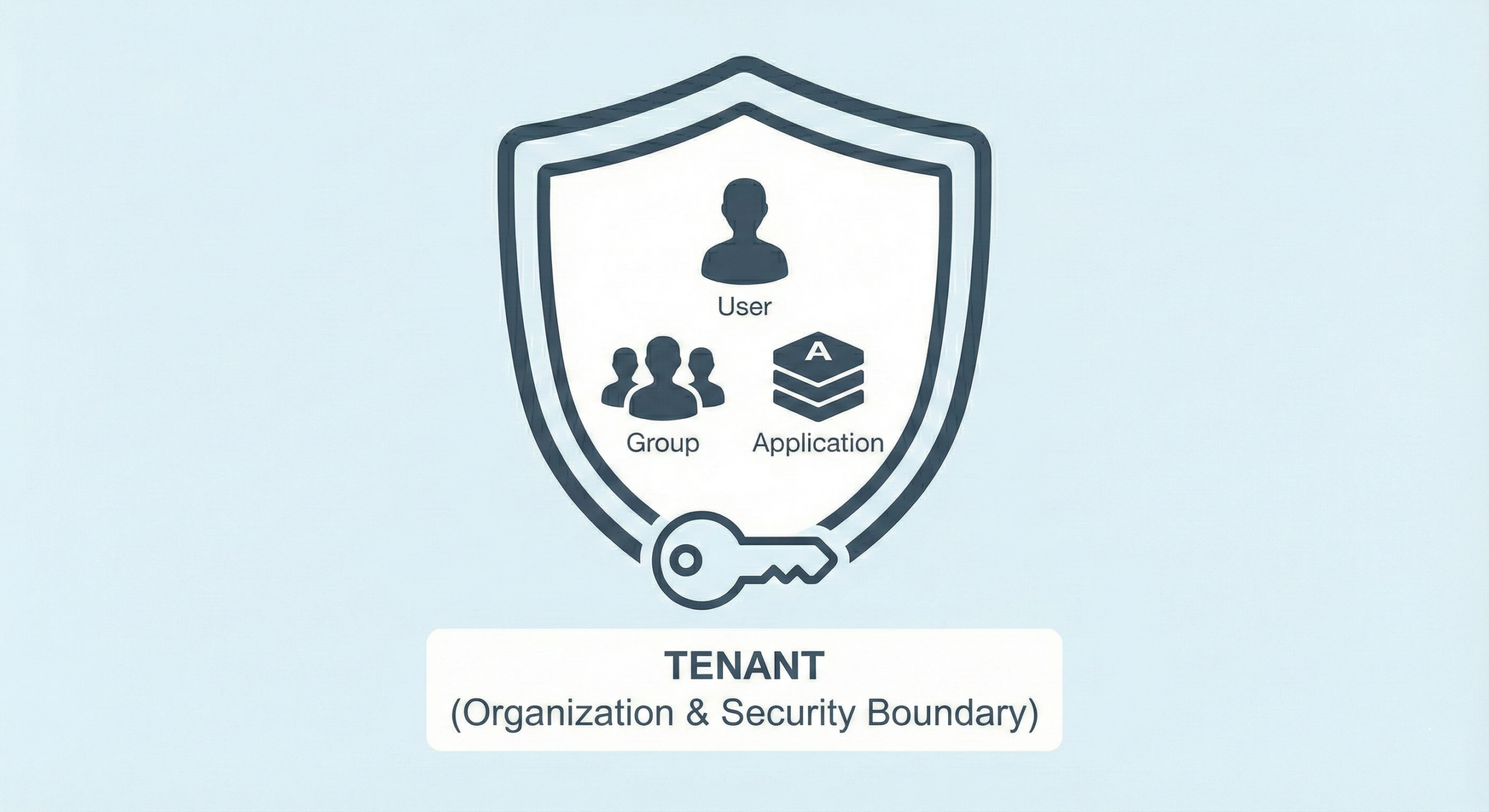
Each tenant is associated with one or more domain names. Azure provides a default domain, but organizations typically attach their own verified domains. A critical architectural constraint applies here: the same domain name cannot exist in more than one tenant. This rule ensures global uniqueness and prevents identity collisions across organizations.
The tenant is responsible for managing all identities within its boundary. Users, groups, applications, and managed identities all live inside a tenant. Authentication, authorization, and identity lifecycle management are handled entirely at this level. Without a tenant, nothing else in Azure can function. Logging into the portal, accessing APIs, or assigning permissions all require a tenant context.
This is why tenants are often created even when no subscriptions exist yet. A tenant can exist purely for identity purposes. In such cases, users can be created, applications can be registered, and policies can be defined, but no resources can be deployed until a subscription is attached.
Microsoft Learn provides an excellent foundation for understanding tenants and Azure Active Directory concepts:
https://learn.microsoft.com/azure/active-directory/fundamentals/active-directory-whatis
While tenants define who you are, subscriptions define what you can deploy and how it is billed. A subscription is the unit of cost management, quotas, and resource ownership. Every Azure resource must belong to exactly one subscription.

Subscriptions come in many commercial forms, such as free trials, pay-as-you-go plans, enterprise agreements, or partner-managed CSP arrangements. Regardless of the commercial model, the technical behavior of a subscription remains the same. It is a container that tracks usage, enforces limits, and aggregates costs.
One of the most misunderstood aspects of Azure is that subscriptions are independent of both users and tenants. A subscription can be assigned to a tenant, but it does not automatically define identities. Likewise, a tenant can have zero, one, or many subscriptions. This separation allows organizations to structure environments in a way that aligns with both financial and operational requirements.
When a tenant has multiple subscriptions, Azure requires an explicit subscription selection whenever a resource is created. This is not a user experience detail; it is a direct consequence of Azure’s design. The platform must know which billing and quota context applies to the resource being deployed.
Microsoft’s official documentation on subscriptions and how they fit into Azure governance is available here:
https://learn.microsoft.com/azure/cloud-adoption-framework/ready/azure-setup-guide/organize-resources
Although accounts, tenants, and subscriptions are independent, they intersect every time someone works in Azure. The flow is consistent. An account authenticates into a tenant. The tenant establishes the identity context. The subscription then determines whether the requested action is authorized and billable.

Authorization is enforced using role-based access control. Roles are assigned to identities at specific scopes, such as subscriptions, resource groups, or individual resources. This allows a single user to be an owner in one subscription, a contributor in another, and a reader elsewhere, all within the same tenant.
This model scales extremely well. A tenant can contain thousands of users and applications, while subscriptions provide isolation for cost, governance, and operational risk. For example, production and development environments are often placed in separate subscriptions to prevent accidental impact and to simplify financial tracking.
Multi-tenant management introduces an additional layer of complexity because tenants are hard security boundaries. Identities do not automatically cross from one tenant to another, and subscriptions cannot span tenants. This is by design and is essential for compliance and isolation.
Organizations often operate multiple tenants for reasons such as mergers and acquisitions, regional separation, or customer isolation in SaaS platforms. In these scenarios, Azure provides controlled mechanisms for collaboration, such as guest users and cross-tenant access policies, but the tenant boundary remains intact.
Understanding this boundary is critical. Attempting to design around it usually results in fragile or insecure architectures. Instead, successful multi-tenant strategies embrace tenant separation and use standardized patterns for access, governance, and automation.
Microsoft Learn covers cross-tenant collaboration and external identities in detail:
https://learn.microsoft.com/azure/active-directory/external-identities/what-is-b2b
Azure’s separation of accounts, tenants, and subscriptions is not accidental. It reflects a deliberate architectural choice to decouple identity, organization, and billing. Once this model is understood, many design decisions become clearer.
An account is an identity, nothing more. A tenant is the organizational and security boundary. A subscription is the billing and resource container. Each can exist independently, but meaningful work in Azure happens only when they are correctly connected.
For architects and administrators managing more than one tenant, mastering these fundamentals is not optional. It is the foundation upon which secure, scalable, and maintainable Azure environments are built.